
Appearance, Language, and Startup Behavior
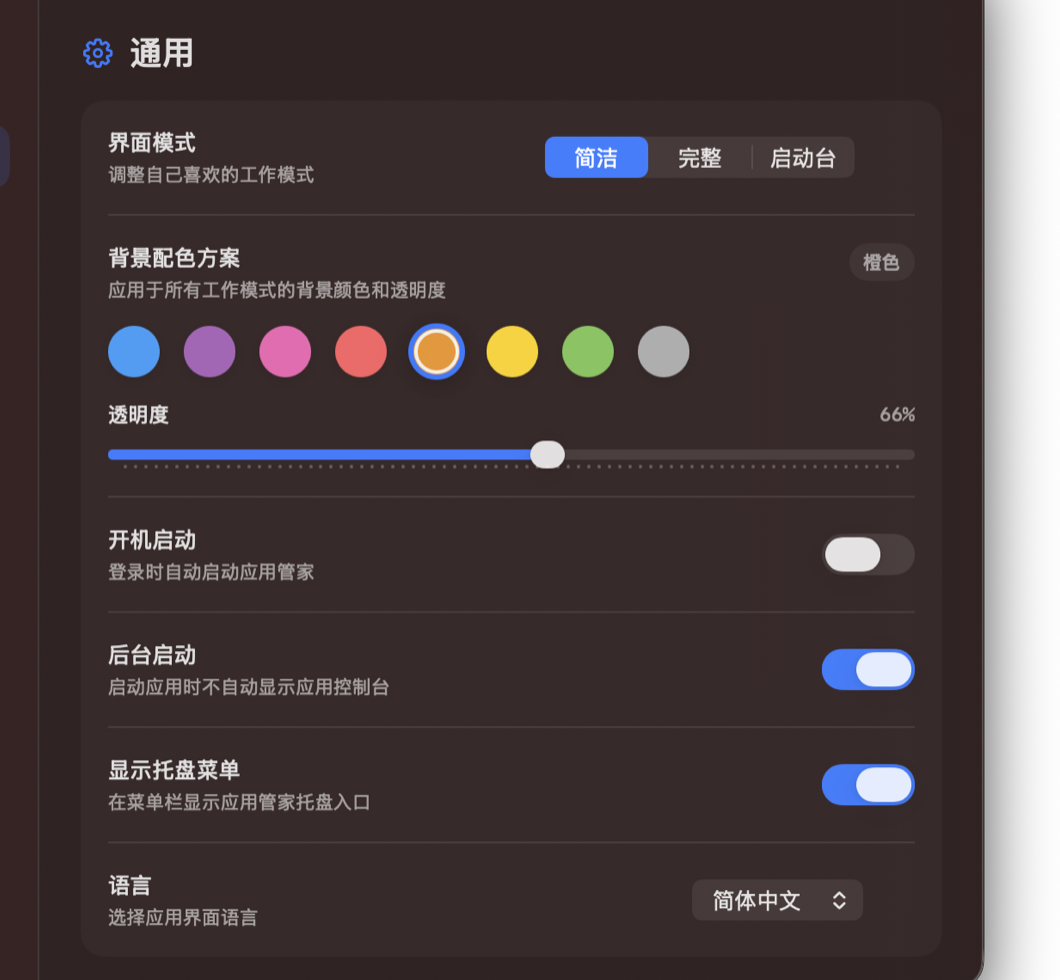
Adjust view mode, color, language, launch at login, background startup, and menu bar display.
Setup
- In General settings, adjust view mode, background color, and transparency.
- You can also set language, launch at login, background startup, and menu bar access.
Steps
- Click the gear button in the top-right corner to open Settings.
- Choose the view mode and background color in General.
- Adjust transparency, language, and startup options as needed.
- After enabling menu bar access, open App Butler from the macOS menu bar.
Notes
- Use Launchpad or Full mode for many apps. Use Simple mode when you only manage a few favorite apps.